
Power of Two Texture Resizer
Resize any image to a power-of-two size (256, 512, 1024 …) for game engines and GPU mipmaps.
Free · runs in your browser · nothing is uploaded
Recent
Your last 10 settings, saved only in this browser. Nothing is uploaded.
A texture resizer for game work does more than an ordinary image resizer: it brings a texture to a power-of-two size such as 256, 512 or 1024, and it treats colour, data and normal maps differently, because each needs a different kind of averaging to stay correct. This one picks the nearest power of two, the next one up or the next one down for each side separately, or any size you choose from 32 to 8192 px. It resamples colour in linear light, data maps as stored values, and renormalizes normal maps so their vectors keep length 1. You can stretch the image or pad it to keep its proportions, and the stats tell you how many mip levels the resized texture will have.
It reads PNG in 8 or 16-bit, TGA, JPG, WebP, BMP and EXR, and the result previews before you save it.
How to resize a texture to a power of two
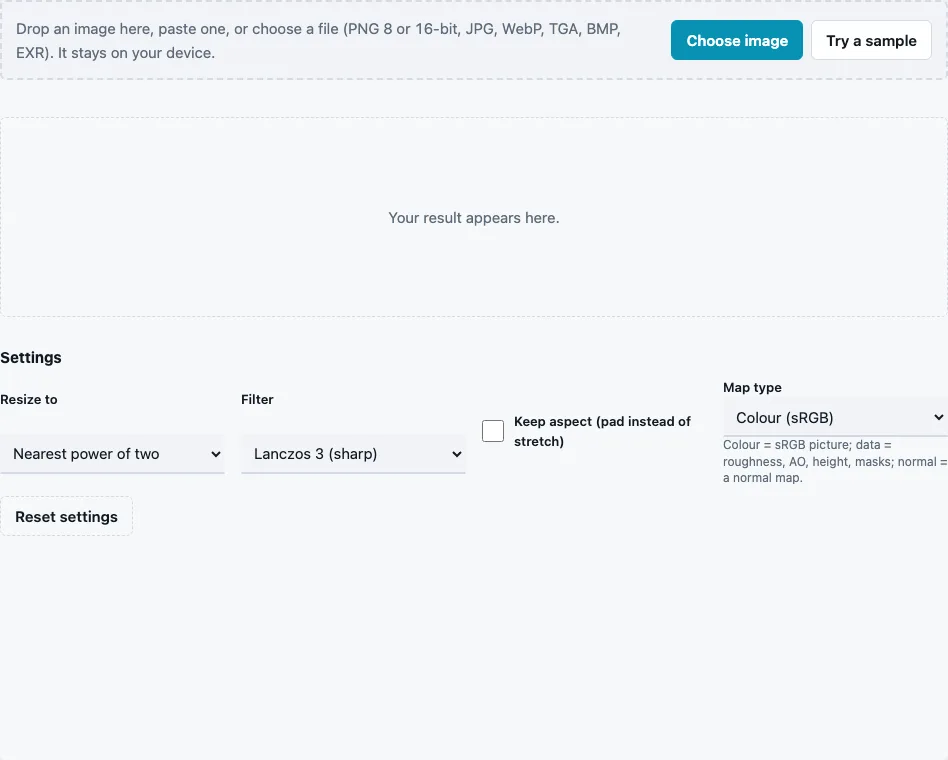
- Drop the image on the tool, paste it or press Choose image. Try a sample loads a 387 × 283 brick image.
- Choose Resize to: Nearest power of two (default), Next power of two up, Next power of two down, or Pick width and height.
- With Pick width and height, choose Width and Height from 32 to 8192 px.
- Choose a Filter: Lanczos 3 (sharp; default), Bilinear, Box (area average) or Nearest (pixel art).
- Tick Keep aspect (pad instead of stretch) to scale the image to fit and fill the rest with black (transparent when the image has alpha) instead of distorting it.
- Set Map type: Colour (sRGB) for photos and albedo, Data for roughness, AO or height, Normal map for normal maps.
- Read From, To and Mip levels in the stats line, then press Download Resized image.
Each side is handled separately, so a 387 × 283 image becomes 512 × 256 with the nearest rule, a size with 10 mip levels. Pick the format in the File format menu: 16-bit PNG keeps more precision for height maps, while 8-bit PNG or TGA suits colour textures. Enlarging adds no detail, so prefer rounding down when the nearest power of two is much larger than the source.
Settings stay in the page address, so a saved link reopens the same rule and filter.
Why do textures need power-of-two sizes?
GPUs build mipmaps by halving a texture again and again, and a power-of-two side halves to whole numbers all the way down to 1. Some platforms, older graphics APIs and texture compression formats also handle such sizes best or only. WebGL 1, for example, allows mipmaps and repeat wrapping only on power-of-two textures, and the glTF 2.0 specification says clients should resize non-power-of-two textures on platforms with limited support for them.
Where each rule lands, computed by the engine:
| Source side | Nearest | Next up | Next down |
|---|---|---|---|
| 200 | 256 | 256 | 128 |
| 300 | 256 | 512 | 256 |
| 600 | 512 | 1024 | 512 |
| 768 | 1024 | 1024 | 512 |
| 1000 | 1024 | 1024 | 512 |
| 1500 | 1024 | 2048 | 1024 |
| 3000 | 2048 | 4096 | 2048 |
Ties go up: 768 lies exactly between 512 and 1024 and becomes 1024. Epic’s asset guidelines for Unreal Editor for Fortnite give the same reason for power-of-two textures: it makes mipmapping possible.
Why is a normal map handled differently?
Averaging the colours of neighbouring normal-map pixels averages their directions, and the average of two unit vectors pointing different ways is shorter than 1. Short vectors shade darker and flatter. With Map type set to Normal map, every resized pixel is rescaled to length 1 again. Colour maps get the opposite care: they are converted to linear light before averaging, so dark and bright details blend the way light does instead of turning muddy, and with alpha they are weighted by it, so the black of transparent pixels does not leave a dark fringe around a sprite.
Why does the map type matter for colour?
Image files store colour in sRGB, where the stored numbers are not proportional to light. Averaging a black and a white pixel directly gives a stored value of 0.5, which displays darker than the true average of the light. Converted to linear light first, the average is 0.5 of the light, which stored back as sRGB is 0.735. Resizing in linear light keeps fine bright details, such as sparkles or thin highlights, from fading into a grey haze. Data maps such as roughness, AO and height are already linear numbers and are averaged as stored. Picking the wrong type does not break the file, but it shifts values: colour treated as data turns slightly darker, and data treated as colour has its middle values pushed up.
Questions and answers
Which filter should I use?
Lanczos 3 for most textures, Box for strong reductions of noisy images, Bilinear (2 taps, so it can alias on strong reductions) for upscaling, and Nearest for pixel art, which must keep hard edges.
Should I stretch or pad?
Stretch when the texture is mapped onto UVs, since the UVs stretch with it. Pad when the image must keep its proportions, like a decal or an icon, and the empty border is acceptable.
Why is my image smaller than the original?
The nearest power of two was below the original size, or you chose Next power of two down. A 600 px side, for example, rounds to 512 with the nearest rule. Choose Next power of two up to enlarge instead.
Can I resize a normal map without breaking it?
Yes. Set Map type to Normal map; the result is renormalized and passes the Normal Map Checker.
What is the largest size?
8192 px per side for custom sizes. Images above 4096 px are scaled down on loading (2048 px on phones), so very large targets enlarge a smaller copy.
How many mip levels will the result have?
floor(log2(longest side)) + 1, shown in the stats: 11 for 1024 px, 13 for 4096 px.
Does resizing change the colours?
Not on average: colour is resampled in linear light and converted back to sRGB. Sharp filters like Lanczos can add a faint halo at hard edges, which Box avoids.
Related tools
- Mipmap Generator: every level of the resized texture, down to 1 × 1.
- Texture Packer: sprite sheets with power-of-two sheet sizes.
- ORM Texture Packer: pack maps that now share one size.
- Normal Map Checker: confirm a resized normal map is still valid.
- Make Texture Seamless: fix tiling before or after resizing.
- Texture Channel Splitter: check each channel after resampling.