
ORM Texture Packer
Pack ambient occlusion, roughness and metallic maps into one texture for glTF, Unreal or the Unity HDRP mask map.
Free · runs in your browser · nothing is uploaded
Recent
Your last 10 settings, saved only in this browser. Nothing is uploaded.
How to use the ORM Texture Packer
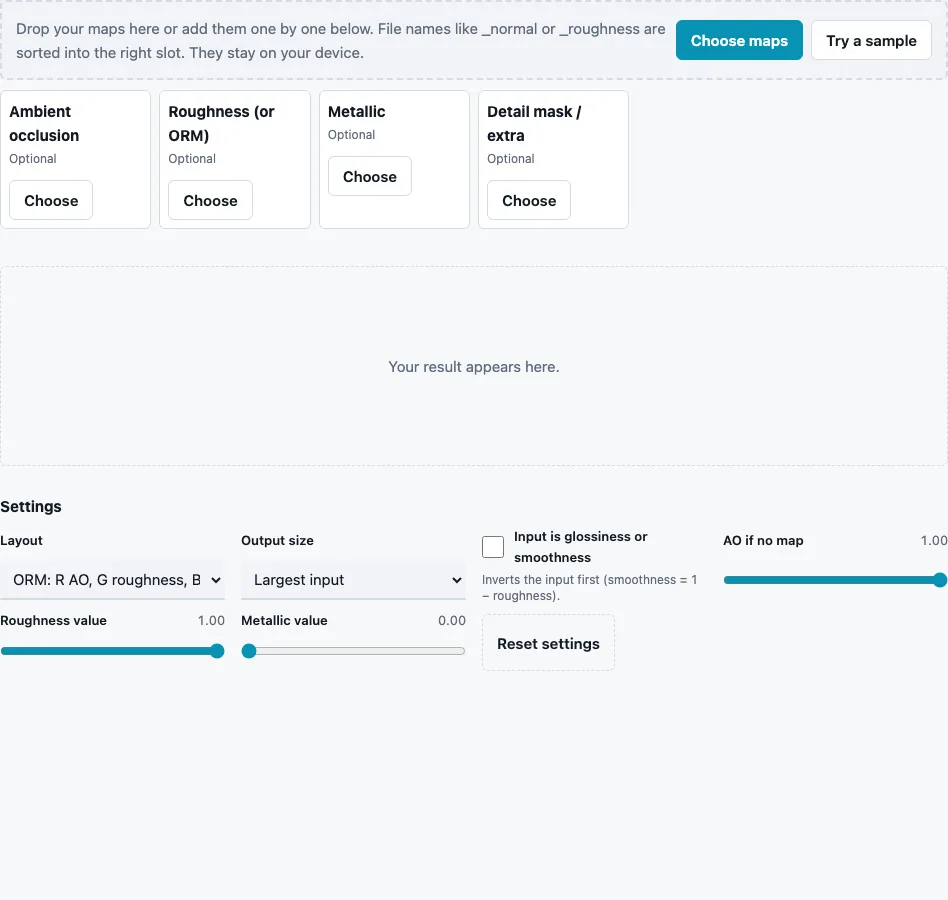
- Drop your maps all at once or press Choose maps. Files whose names contain ao or occlusion, rough, gloss or smooth, and metal are sorted into Ambient occlusion, Roughness (or ORM) and Metallic; a fourth slot, Detail mask / extra, is used by the Unity mask layout. Try a sample loads a brick AO, roughness and metallic set.
- Choose a Layout: ORM (default), ARM, MRAO, RMA or Unity HDRP mask.
- Choose an Output size: Largest input (default), or 512, 1024, 2048 or 4096 px square. Inputs of other sizes are resampled.
- Tick Input is glossiness or smoothness if your roughness slot holds a gloss map.
- For each empty slot, set its fill value: AO if no map (default 1, no occlusion), Roughness value (default 1) and Metallic value (default 0).
- Check the channel layout in the stats line, look at the material on the 3D sphere, and press Download Packed map.
The packed file must be imported as data: turn sRGB off in your engine, or the green and blue values shift and the material looks wrong. Keep the original maps too; it is easier to repack them for another layout than to unpack a packed file.
Switch Show in the 3D preview to AO only, Roughness only or Metallic only: each view reads its channel back out of the packed result, so you can confirm that every map ended up in the right place before you download.
Which channel layout does my engine expect?
glTF 2.0 reads occlusion from red, roughness from green and metalness from blue, so one ORM texture can feed both slots. Unity HDRP’s mask map uses red for metallic, green for occlusion, blue for a detail mask and alpha for smoothness. ORM or ARM is also a common packed setup in Unreal Engine materials. Match the layout to the material that will read the file.
| Layout | R | G | B | A | Source we checked |
|---|---|---|---|---|---|
| ORM / ARM | AO | roughness | metallic | – | glTF 2.0 specification, sections 5.19.6 and 5.22.5 |
| Unity HDRP mask | metallic | AO | detail mask | smoothness | Unity HDRP manual, “Mask map and detail map” |
| same file in Unity URP Lit | metallic | AO | unused | smoothness | Unity 6 URP manual, “Assign a channel-packed texture to a material” |
| MRAO | metallic | roughness | AO | – | PBR shader documentation for Source-engine games |
| RMA | roughness | metallic | AO | – | no official source; offered for pipelines that use it |
In Unreal Engine the ORM texture is a convention you wire up in your own material, not a format the engine requires; Epic’s documentation describes the separate inputs, and the packed texture should be imported with sRGB off. Godot’s ORMMaterial3D also takes one ORM texture. Unity does not read an ORM texture in any pipeline. URP’s Lit shader reads a channel-packed texture with metallic in red, occlusion in green and smoothness in alpha (blue unused), which is the Unity HDRP mask output: assign it to both Metallic Map and Occlusion Map and keep Smoothness Source at Metallic Alpha (Unity 6 URP manual).
What is channel packing and what can be packed?
Channel packing stores separate grey maps in the colour channels of one image. Any linear grey data can be packed: AO, roughness, smoothness, metallic, height, masks. Colour maps cannot, and normal maps need their channels for themselves. All packed maps here are linear data, never sRGB.
Why pack at all?
A material that reads AO, roughness and metallic from three separate grey textures makes three texture samples per pixel and keeps three files in memory, each with its own mipmaps. Packed, it is one sample and one file. Grey data fits a single channel without loss, so nothing is given up as long as the file stays linear and is not compressed with a format that blurs channels into each other.
What does a fill value do?
It writes one constant into a channel when there is no map for it. AO 1 means no occlusion anywhere, metallic 0 means no metal, and roughness 1 means fully matte. For the Unity mask, the alpha channel is filled with 1 − Roughness value, so the default gives smoothness 0.
Questions and answers
What is an ORM texture?
A single texture whose red channel is AO, green is roughness and blue is metallic. ARM is the same order under another name.
Should an ORM texture use sRGB?
No. Each channel is data, and sRGB decoding would change the values. Import it as linear.
What happens when a channel is missing?
It is filled with the slider value for that map: AO 1, roughness 1 and metallic 0 by default. A missing detail mask in the Unity layout is 1.
Can I pack a smoothness map into green?
Green holds roughness in the ORM layout. Load the smoothness map into the Roughness (or ORM) slot with that slot’s own button and tick Input is glossiness or smoothness; it is inverted to roughness first. Dropped files with “smooth” or “gloss” in the name go to this slot and tick the box for you. For the Unity mask, roughness is turned into smoothness for alpha automatically.
Do the input maps need the same size?
No. Every input is resampled to the output size; for the cleanest result, use maps made at the same resolution.
Can I unpack an ORM texture again?
Yes, with the Texture Channel Splitter, which saves each channel as its own grey image.
Related tools
- Texture Channel Splitter: unpack any packed texture into channels.
- PBR Texture Generator: an ORM file together with the other maps.
- Ambient Occlusion Map Generator: the red channel.
- Roughness Map Generator: the green channel, or gloss for alpha.
- Metallic Map Generator: the blue channel.
- PBR Material Viewer: check a packed ORM on a lit sphere.
- Power of Two Texture Resizer: bring the maps to one size first.