
Height Map to Normal Map
Convert a grey height map from Blender, Substance or a terrain tool into a normal map without losing 16-bit precision.
Free · runs in your browser · nothing is uploaded
Recent
Your last 10 settings, saved only in this browser. Nothing is uploaded.
How to use Height Map to Normal Map
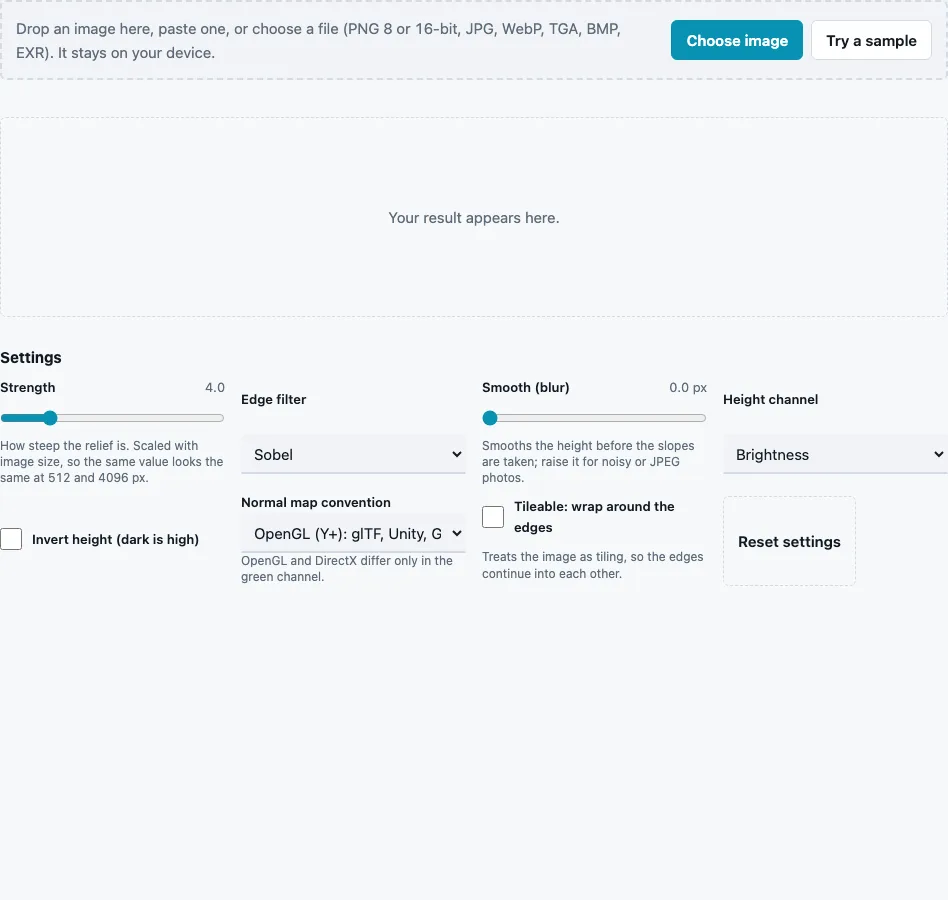
- Drop the height map on the tool, paste it or press Choose image. Try a sample loads a field of rounded bumps.
- Check the direction: black is low and white is high. Tick Invert height (dark is high) if yours is the other way round.
- If the height sits in one channel, choose it in Height channel: Brightness, Red, Green or Blue.
- Set Strength (0 to 20, default 4). It is scaled with image size, so the same value suits a 512 px and a 4096 px map.
- Choose an Edge filter: Sobel (default), Scharr, Prewitt or Central difference.
- Leave Smooth (blur) at 0 for clean height maps; raise it (up to 10 px) for noisy or compressed sources.
- Tick Tileable: wrap around the edges when the height map repeats.
- Pick the Normal map convention, check the 3D preview, then press Download Normal map. The File format menu offers 8-bit PNG, 16-bit PNG or 8-bit TGA.
The stats line reports the mean and maximum tilt; on the built-in sample (512 px, defaults) they are 13.1° and 68°.
Keep the height map at its original size and bit depth: shrinking it first throws away the slopes you want, and an 8-bit copy of a 16-bit file brings back terraces.
How is a normal computed from a height map?
At each pixel the edge filter measures how fast the height changes to the right (dx) and down the image (dy). The normal is the vector (−s·dx, s·dy, 1) scaled to length 1, where s is the strength; DirectX output flips the green component. Each component n, from −1 to 1, is then stored as (n + 1) / 2.
- Strength is scaled to the image: s = strength × 16 × long side ÷ 1024, so the default 4 on a 1024 px map gives s = 64.
- The edge filter weights the three neighbouring rows or columns: Sobel 1-2-1 (÷ 8), Scharr 3-10-3 (÷ 32), Prewitt 1-1-1 (÷ 6), central difference 0-1-0 (÷ 2). Each is normalised so a ramp of slope m gives exactly m.
- The vector is normalised and encoded to 8-bit RGB.
Pixel values the tool produces with s = 64:
| Height in the area | OpenGL (R, G, B) | DirectX (R, G, B) |
|---|---|---|
| flat | 128, 128, 255 | 128, 128, 255 |
| rises to the right, 1 grey level per pixel | 96, 128, 251 | 96, 128, 251 |
| rises toward the top, 1 grey level per pixel | 128, 96, 251 | 128, 159, 251 |
Red drops when the height climbs to the right because the surface faces away from the uphill side. Green behaves the same way in OpenGL and the opposite way in DirectX, which is the whole difference between the two styles.
Is a height map the same as a normal map?
No. A height map stores one value per pixel: how high that point is. A normal map stores three values: which way the point faces. The normal map can be computed from the height map at any time, while going back requires integrating the slopes, which recovers the shape but not exact heights.
Which edge filter should I pick?
Sobel suits most height maps. Scharr gives slightly rounder results on diagonal features, Prewitt averages evenly across its three rows, and central difference uses only the two direct neighbours, so it keeps one-pixel detail and also one-pixel noise. On clean 16-bit terrain or baked heights the difference is small. For a noisy source, try a small blur before you change the filter.
Strength deserves the same care. Because it is scaled with the image, the slider means the same thing at every size, but the right value depends on how much height range the file uses: a terrain that spans black to white over hundreds of pixels needs a high value, a texture with sharp one-pixel bumps a low one. Watch the mean tilt in the stats as you move it.
Questions and answers
Why use a 16-bit height map?
A 16-bit file has 65,536 levels instead of 256, and the tool keeps all of them while it measures slopes. Gentle slopes then stay smooth instead of breaking into terraces of flat steps.
What does wrap around the edges do?
It treats the map as repeating: slopes at the left edge use pixels from the right edge, and the top uses the bottom. Turn it on for tiling textures and off for terrain or decals with a real border.
Can I use a heightmap from a terrain tool?
Yes, if it is an image. Headerless .raw or .r16 files need the RAW Heightmap to PNG Converter first.
Can every normal map be converted back perfectly?
No. A normal map holds only slopes, so cliffs, separate objects and very broad shapes cannot be recovered exactly. The Normal Map to Height Map page gives the closest smooth surface.
Which convention should I pick?
OpenGL (Y+) for glTF, Unity and Godot, as their documentation states. For a map made the other way, flip green on import or use the converter.
Why does my normal map look stepped or striped?
The height map was 8-bit, or it was enlarged from a smaller image. Each flat terrace becomes a flat stripe. Use the 16-bit original, or add a small blur.
Can I use a coloured height map?
Yes. With Height channel set to Brightness, colour is turned into grey with Rec. 709 weights; pick Red, Green or Blue if one channel carries the height.
Related tools
- Normal Map to Height Map: the reverse direction, by integration.
- Normal Map Generator: normals from a photo or texture instead.
- Height Map Generator: make a height map from a picture first.
- Terrain Heightmap Generator: eroded terrain heights to feed in here.
- RAW Heightmap to PNG Converter: open .raw and .r16 files as 16-bit PNG.
- Normal Map Converter: switch the result between OpenGL and DirectX.
- Normal Map Viewer: light the result and look for inverted bumps.